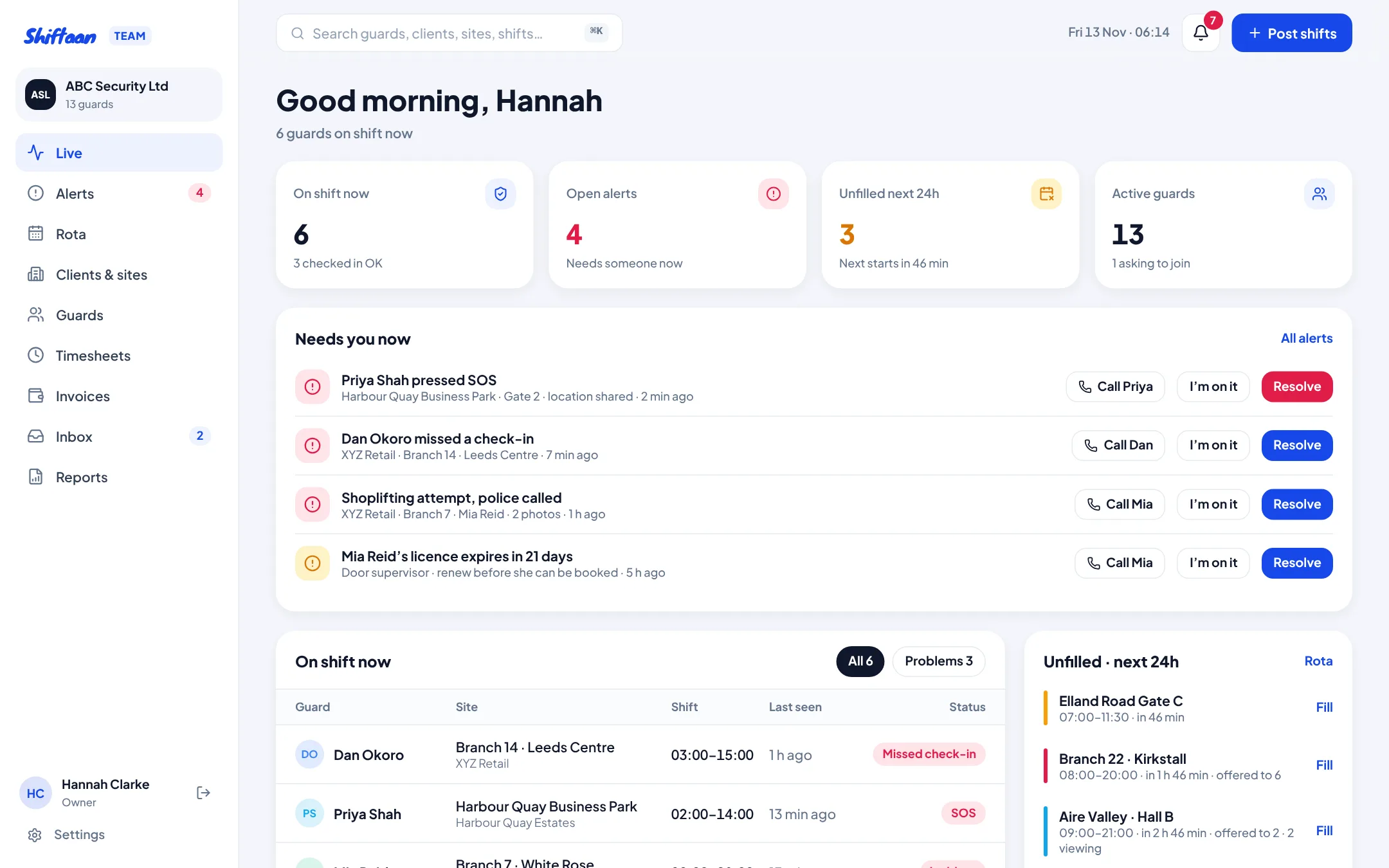
Built for how guarding actually runs
Most small security companies run on a spreadsheet rota, a WhatsApp group and a phone that never stops. It works until a guard doesn't turn up at 2am, a client asks who was on site last Tuesday, or payroll and invoices don't match. Shiftaan Team puts the rota, the guards, the check-ins and the money in one place, and every number comes from the same record.
It's made for firms with one client or fifty, from 5 guards to a few hundred. You can try the demo company without signing up: it opens a sample company with 15 guards, 4 clients and 57 sites.
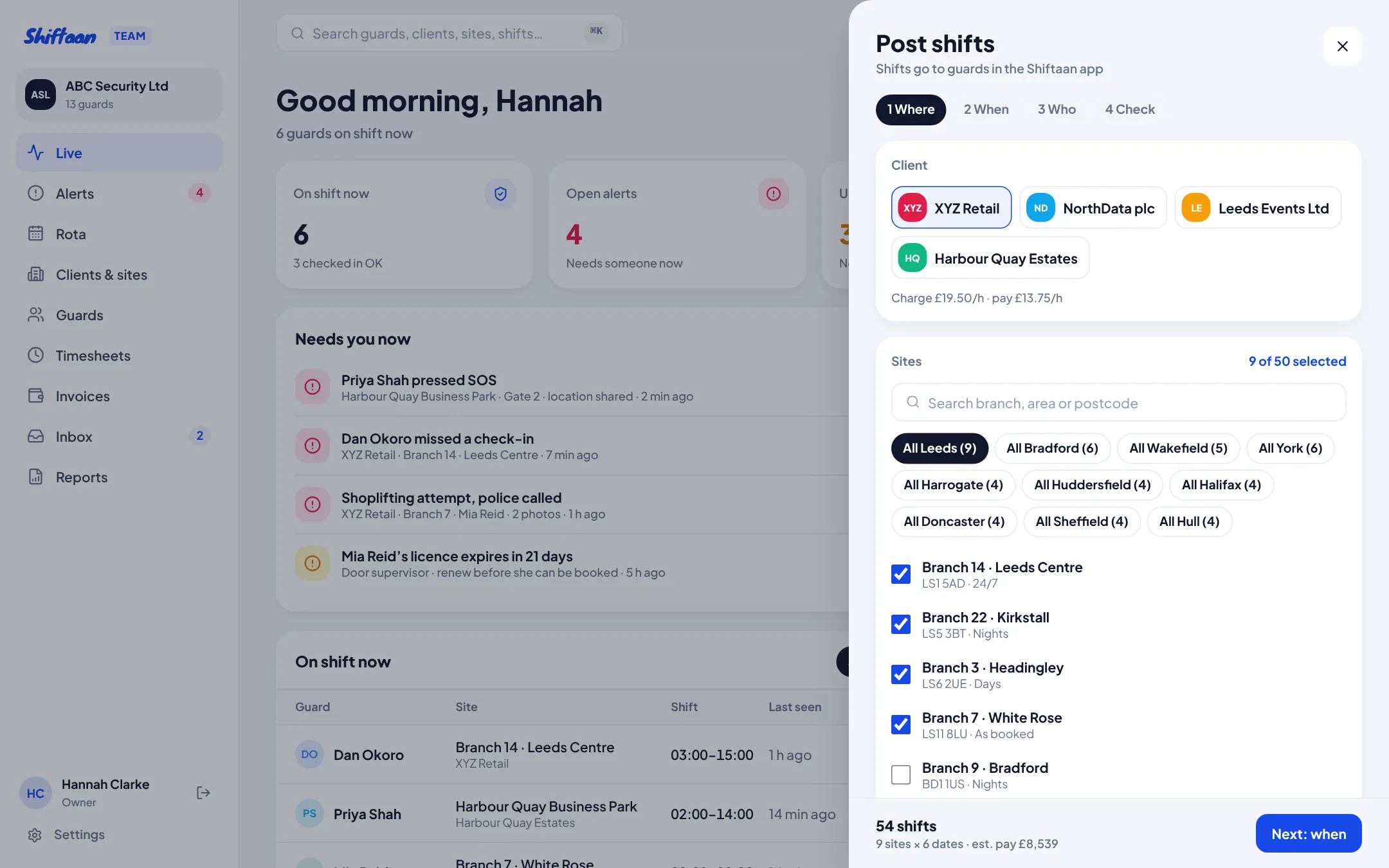
Post a month of shifts across 50 sites in one go
Pick a client, tick sites (or a whole area), set the times and days, and Shiftaan builds every shift. Before anything goes out it checks short notice, bank holidays, contract end dates and every guard's licence, rest and hours. Then offer the shifts to suitable guards, let the first to accept take them, or approve each request yourself.
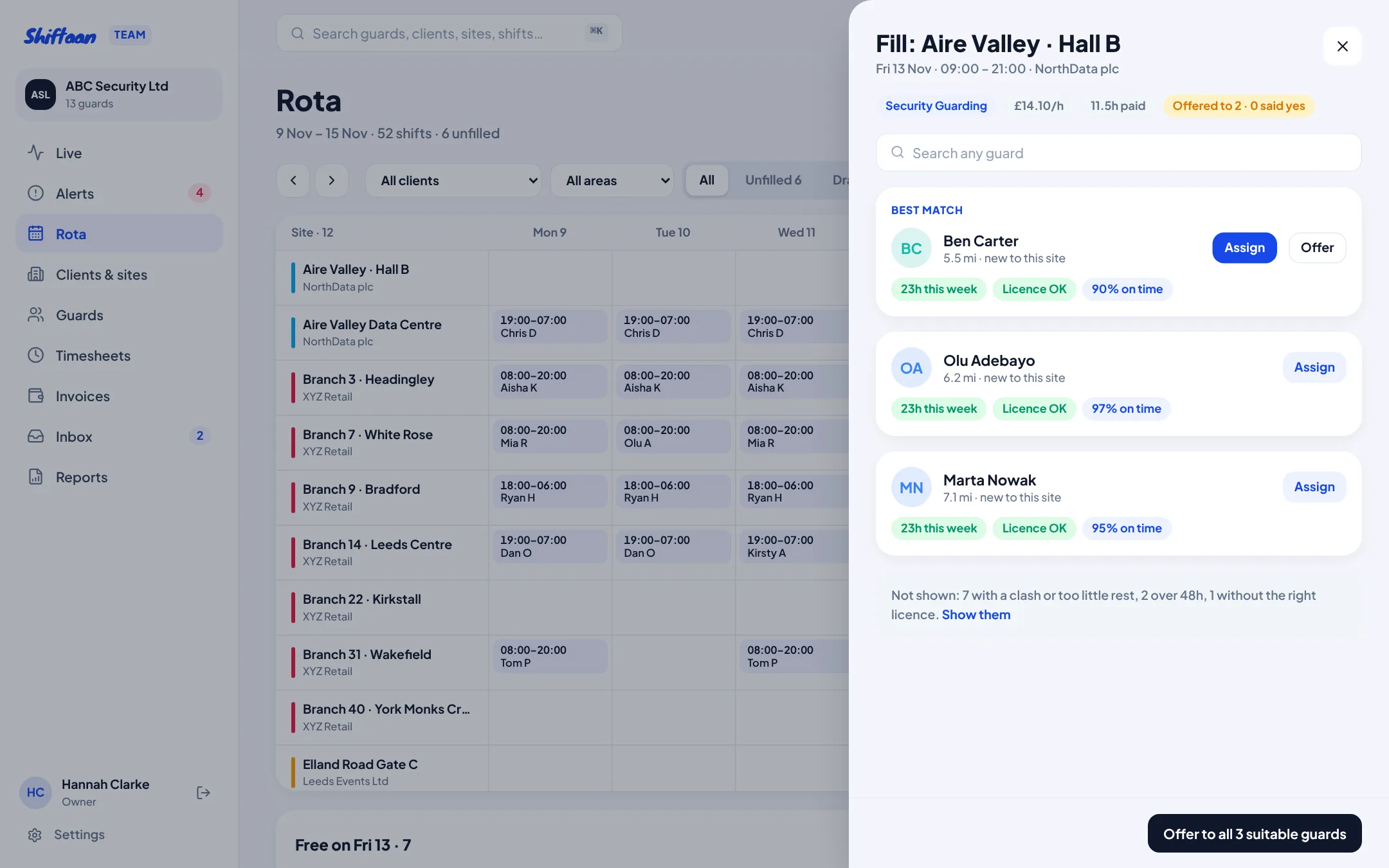
Fill gaps with the right guard, not the first name in your phone
Open an unfilled shift and Shiftaan ranks the guards who can legally do it: the right SIA licence, at least 11 hours' rest, under 48 hours that week, nearest first and who has worked the site before. Guards with a clash are shown separately with the reason, and booking over a warning needs a written reason that's kept in the log.
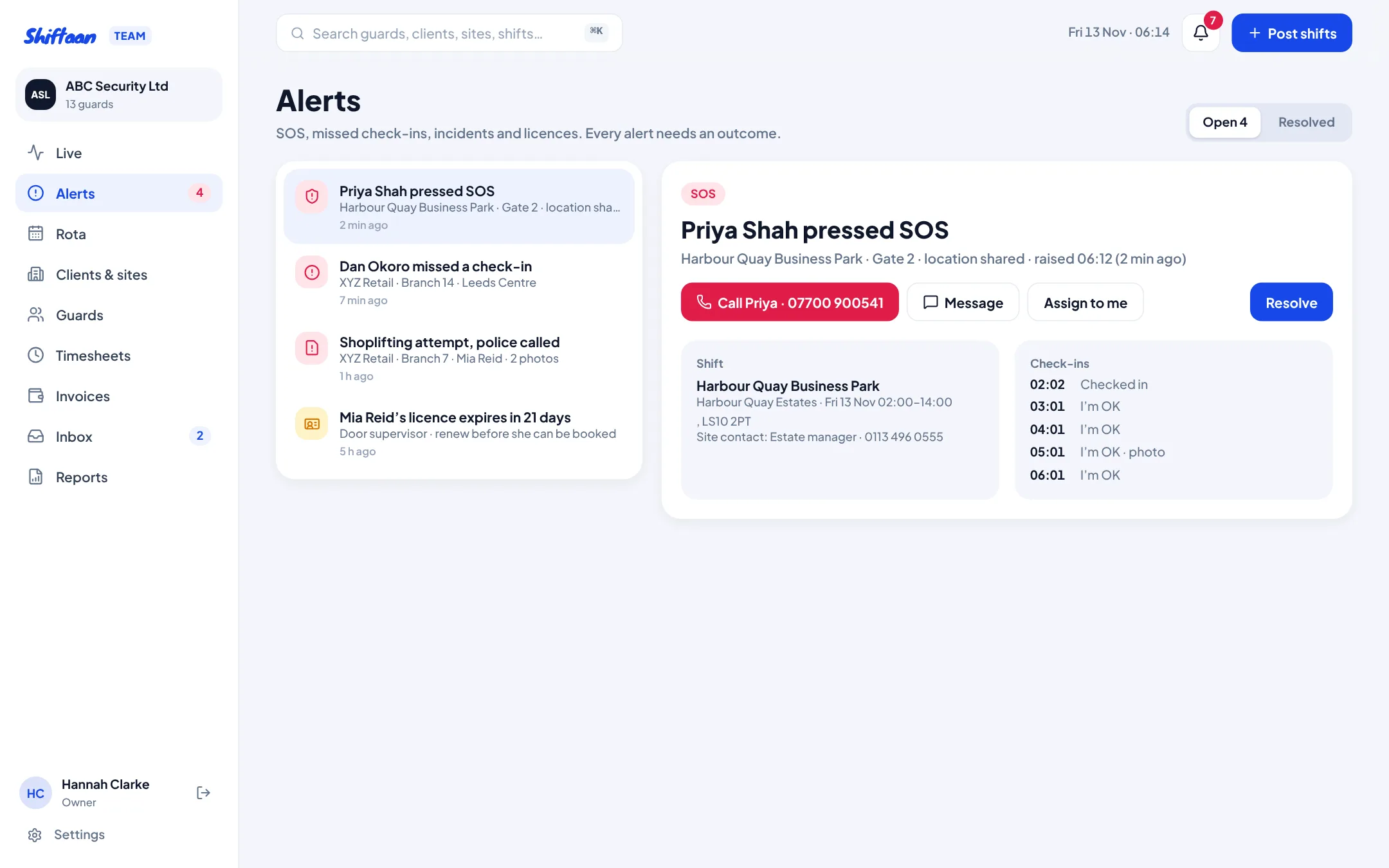
Know every guard is on site and safe
Guards check in from their phone within the site's boundary, tap “I'm OK” at your check-call interval and can press SOS. A missed check-in raises an alert after 15 minutes. Alerts go to the supervisor for that site, then managers after 5 minutes and the owner after 10 if nobody has picked it up. Read more about guard check-ins and SOS.
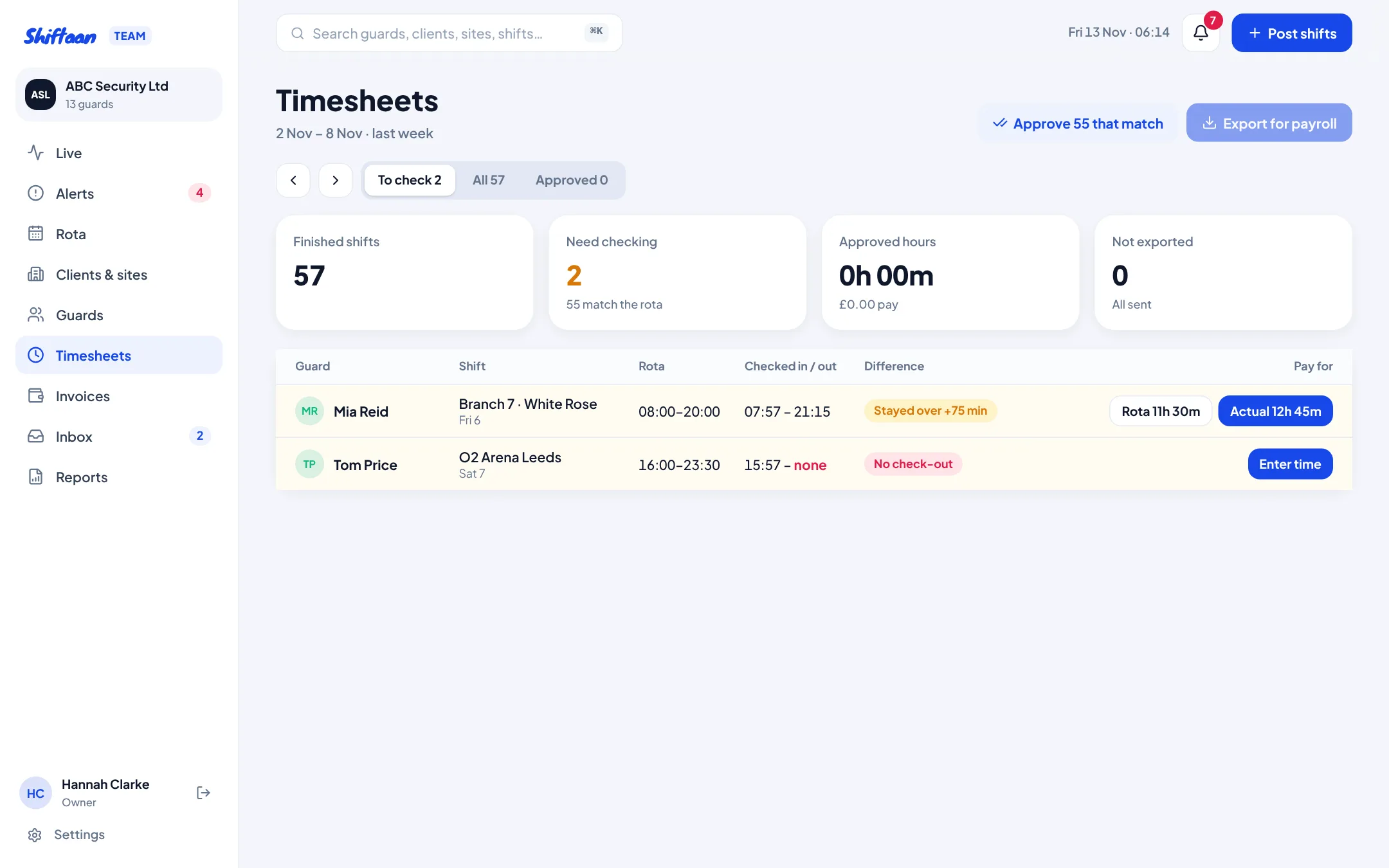
Timesheets from real check-ins, then invoices in a click
Every finished shift becomes a timesheet line with the rota times next to the actual check-in and check-out. Approve the ones that match in one go and decide the rest: pay the rota, pay the actual, or enter the time with a reason the guard can see. Approved hours build the client's invoice, so you never bill for a shift nobody worked. See timesheets and invoicing.
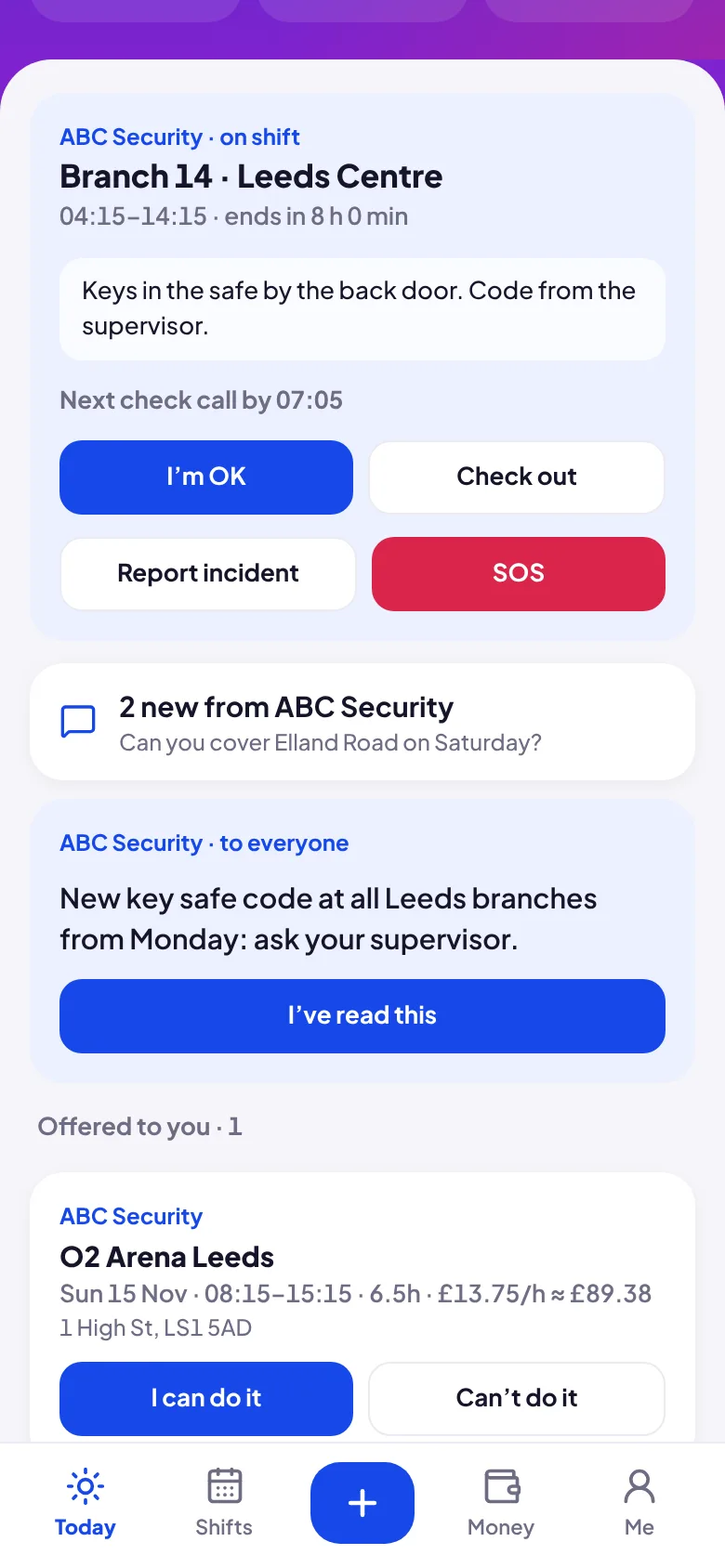
Your guards get a free app they'll actually use
Guards join with your invite link in the free Shiftaan app. Offers, bookings, site instructions, check-ins and messages from the office are all there, and their approved hours flow into their own pay tracker, so fewer “where's my money?” calls. Their personal jobs stay private to them.
Give clients a live view instead of weekly emails
Each client gets a private link showing who is on their sites now, when they checked in, incident reports and invoices. No login, and they can't change anything. See the client portal.
What's included
- Rota across clients, sites and areas, with drafts, publishing and a free-guards view
- Offers to guards, first-come or approve-each, with live accept and decline
- SIA licence, 11-hour rest and 48-hour checks on every booking, with logged overrides
- Check-in within a set distance of the site, check calls, photo of the post, SOS
- Missed check-in alerts with escalation, incident reports with photos
- Timesheets from check-ins, payroll CSV export, invoices built from approved hours
- Messages and broadcasts to guards, with read receipts
- Client portal, scheduled client reports by email, roles for owner, manager, supervisor and payroll
Get started
Open team.shiftaan.com and press “Explore the demo” to try everything with sample data, or create your company and invite your first guards. Already using a spreadsheet? Import your sites from a CSV.
Common questions
Do my guards need to pay for anything?
No. Guards use the free Shiftaan app on iPhone or in any browser. They join your company with your invite link and you approve them.
Can I use it for one client with lots of sites?
Yes. It was built around that: a retailer with 50 branches is just one client with 50 sites. You can post shifts to a whole area at once and filter the rota by client and area.
Does it check SIA licences and working time?
Every booking checks the guard's licence type and expiry, at least 11 hours' rest between shifts and the 48-hour weekly limit. Going over a warning needs an owner or manager and a written reason, which is kept. The minimum wage is £12.71 an hour for 21 and over from April 2026.
How does check-in work without special hardware?
Guards check in on their own phone. Location is only taken at the moment they tap, and they can only check in within the site's boundary (150 m by default, set per site).
Can I try it before setting up?
Yes. The demo company has guards, clients, sites, live shifts and alerts so you can try every screen. Changes stay in your browser.