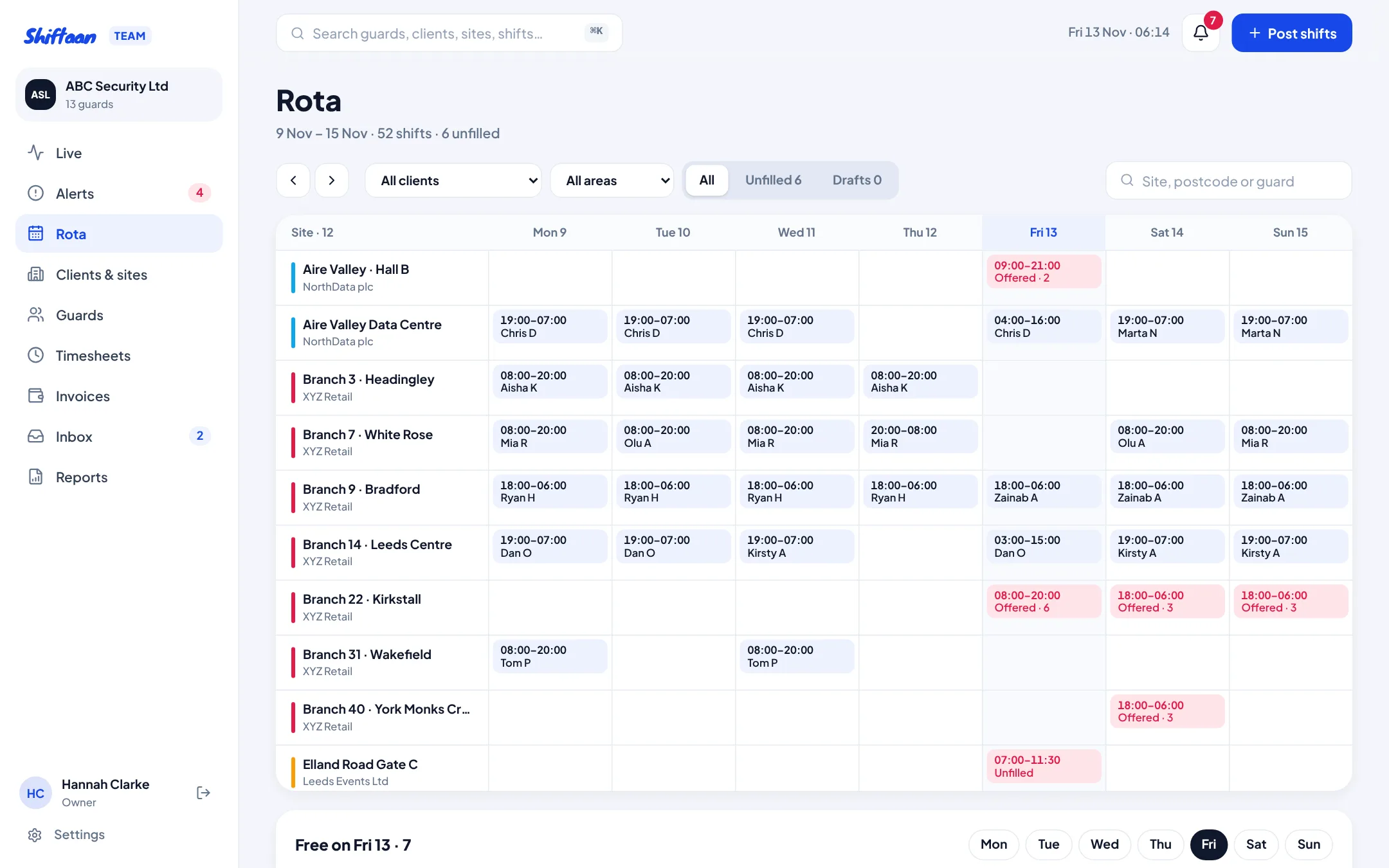
One client, many sites
In Shiftaan Team a client is the company you guard for, and each place you guard is a site with its own postcode, cover pattern, contact, instructions and check-in rules. A retailer with 50 branches is one client with 50 sites. Import them from a CSV (site name, postcode, address, cover) and they're placed on the map from their postcodes so check-in boundaries work straight away.
Post by area, not one shift at a time
Choose “All Leeds” or tick the sites you need, set the start, finish and break, pick the days and the date range, and say how many guards each site needs. Shiftaan shows how many shifts that makes and the estimated pay before you post. You can save them as drafts and publish later; drafts show dashed on the rota.
Before posting it flags shifts starting within your notice period, bank holidays (so you can drop the day) and any dates after the client's contract ends.
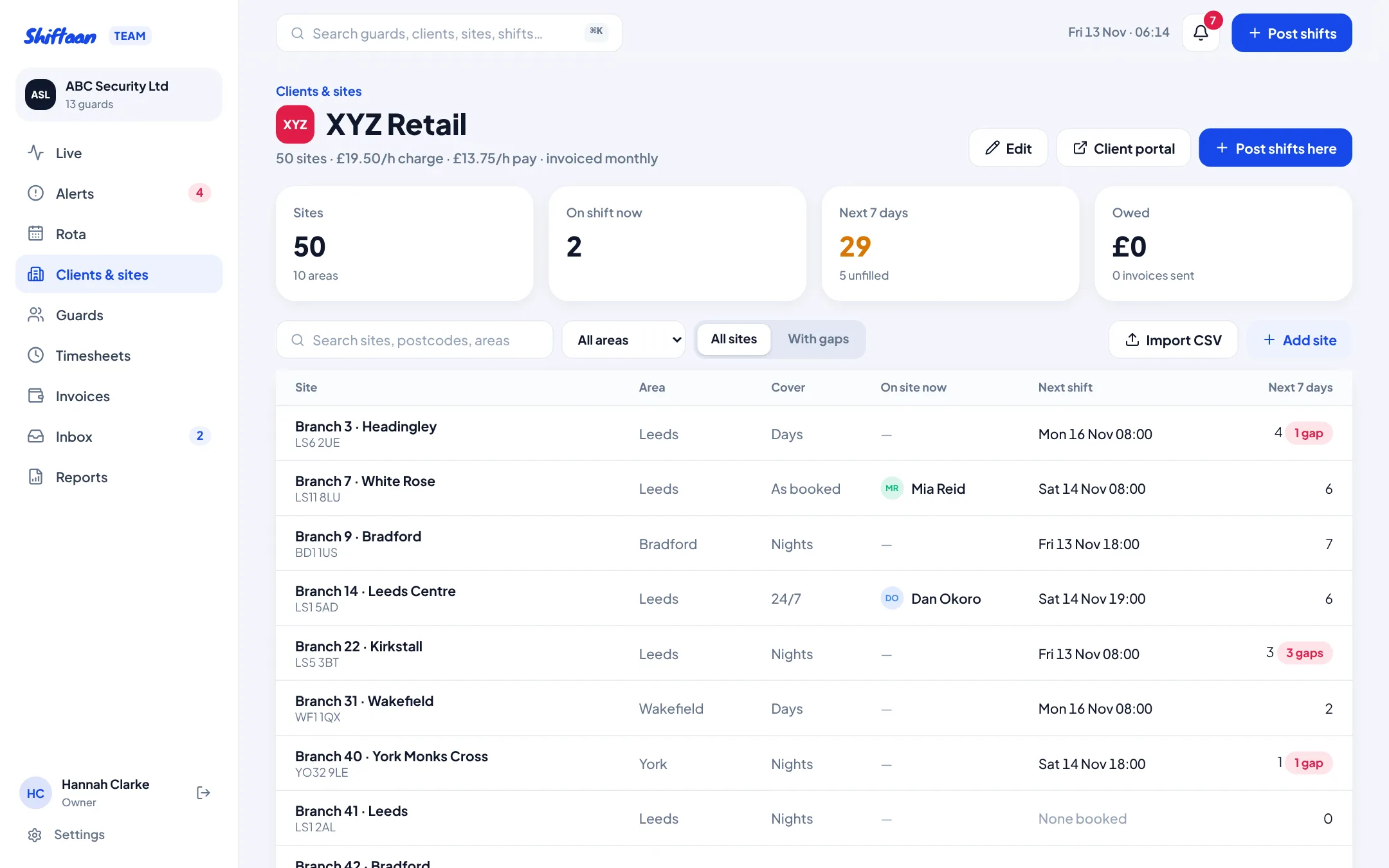
See gaps and free guards at a glance
The rota shows sites down the side and days across. Booked shifts show the guard, unfilled ones show in red with how many guards they've been offered to and how many said yes. Filter by client, area or unfilled only, and use the “Free on…” row to see who has no shift that day and how many hours they've done this week.
Covering a gap fast
Click a red shift to see the best guards for it, ranked by distance, history at the site and on-time record, with anyone who'd break a rule left out and the reason shown. Assign directly, offer to one guard, or offer to every suitable guard at once. Guards get a push notification and answer in the app; you see it on the rota live.
Rules checked on every booking
- The right SIA licence for the shift (a door supervisor licence also covers security guarding)
- A licence that doesn't expire before the shift ends
- No overlap with another shift and at least 11 hours' rest in between
- The 48-hour weekly limit and each guard's own limit, overridable only with a written reason
Common questions
Can supervisors only see their own sites?
Yes. Give a supervisor a list of sites and their Live page and rota show only those, and only they get the alerts for them.
Can I copy last month's rota?
Post shifts lets you pick days of the week across any date range, so a repeating pattern is one form. Drafts let you build it and publish when it's right.