Track every shift
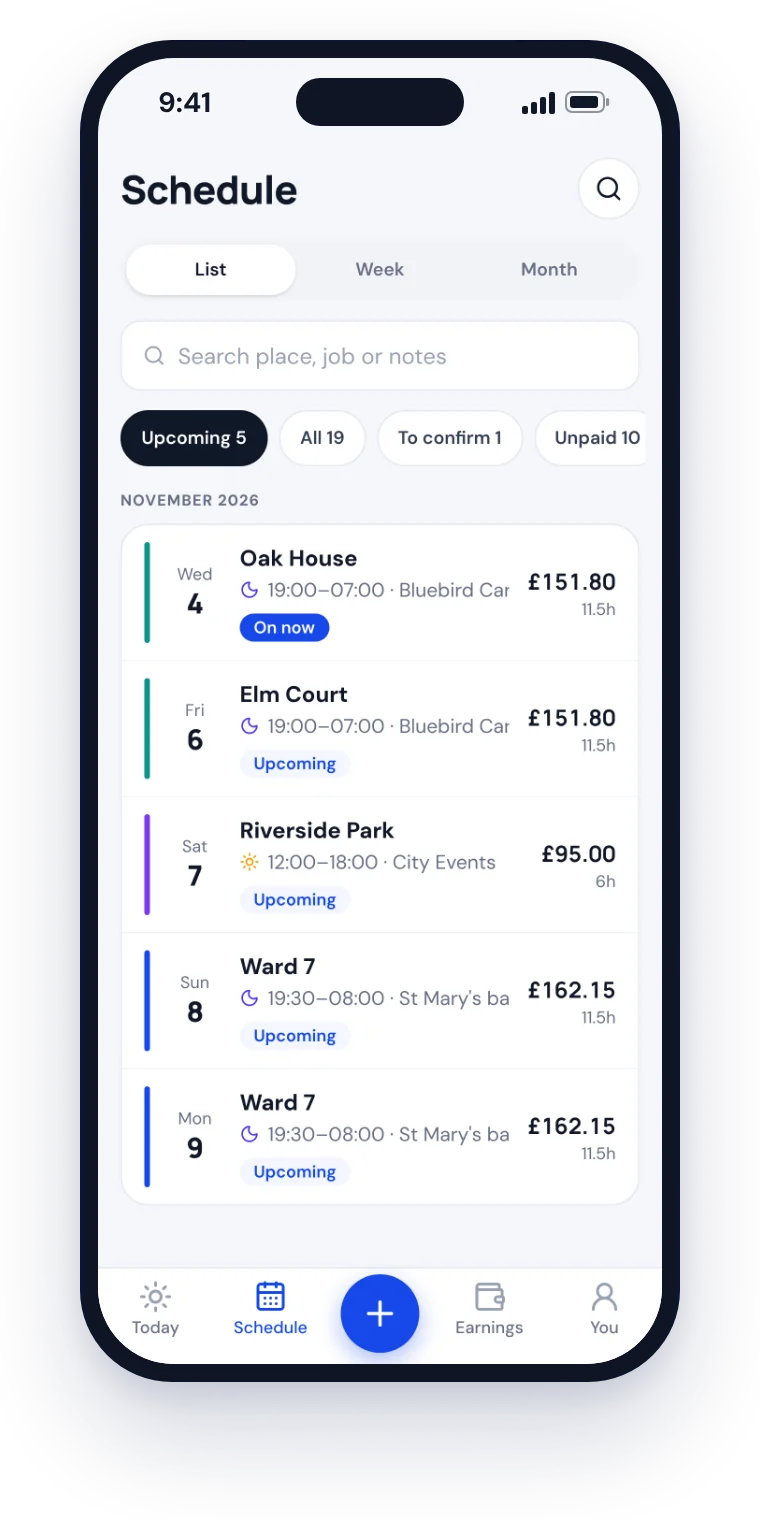
Start, finish, break, job, place and rate, including nights that finish the next day.
Your shifts, hours and pay in one place, whether you work in care, the NHS, hospitality, retail, a warehouse, events, cleaning or security. Especially useful when you work for more than one employer.
Free to start Paste shifts from WhatsApp Know what you're owed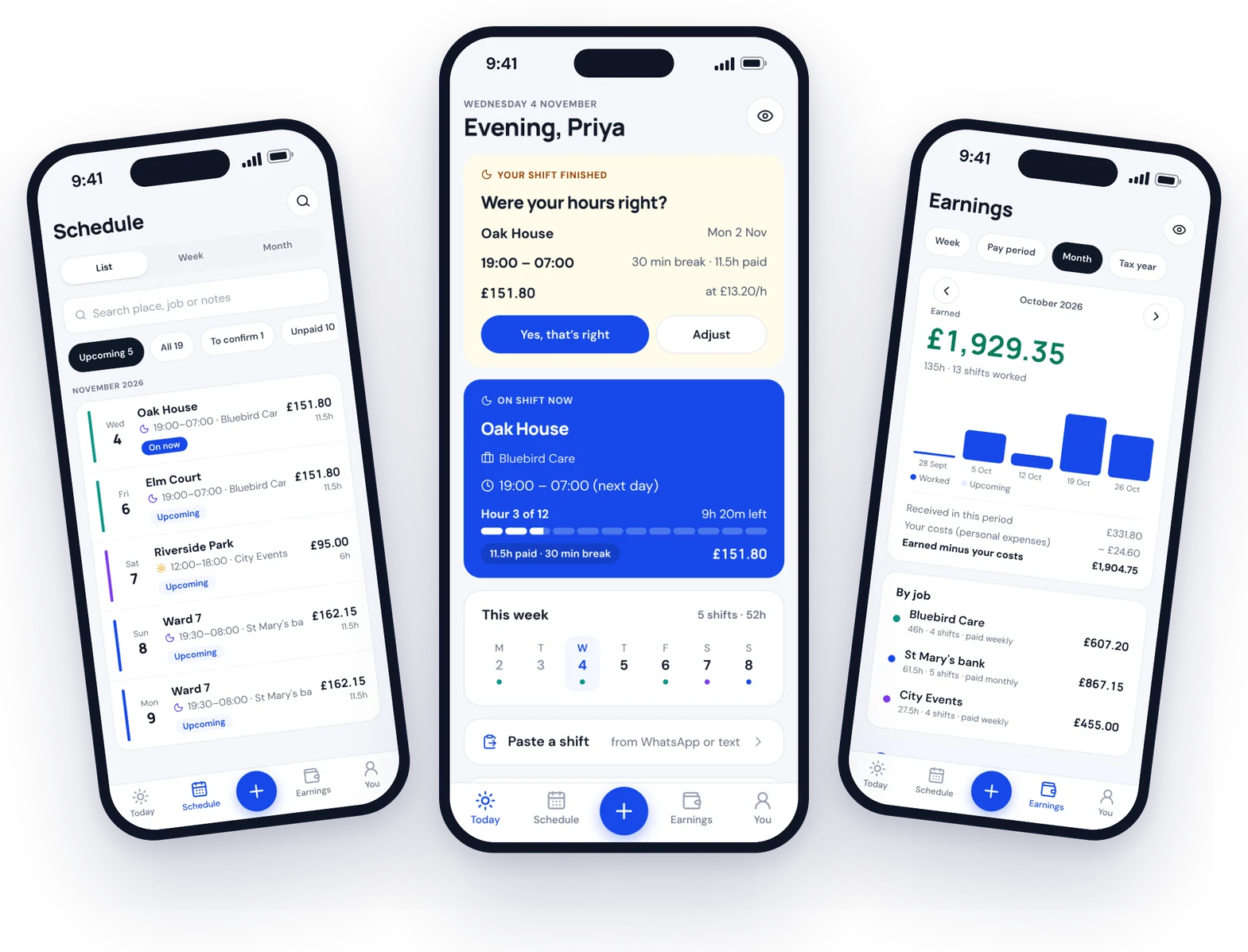
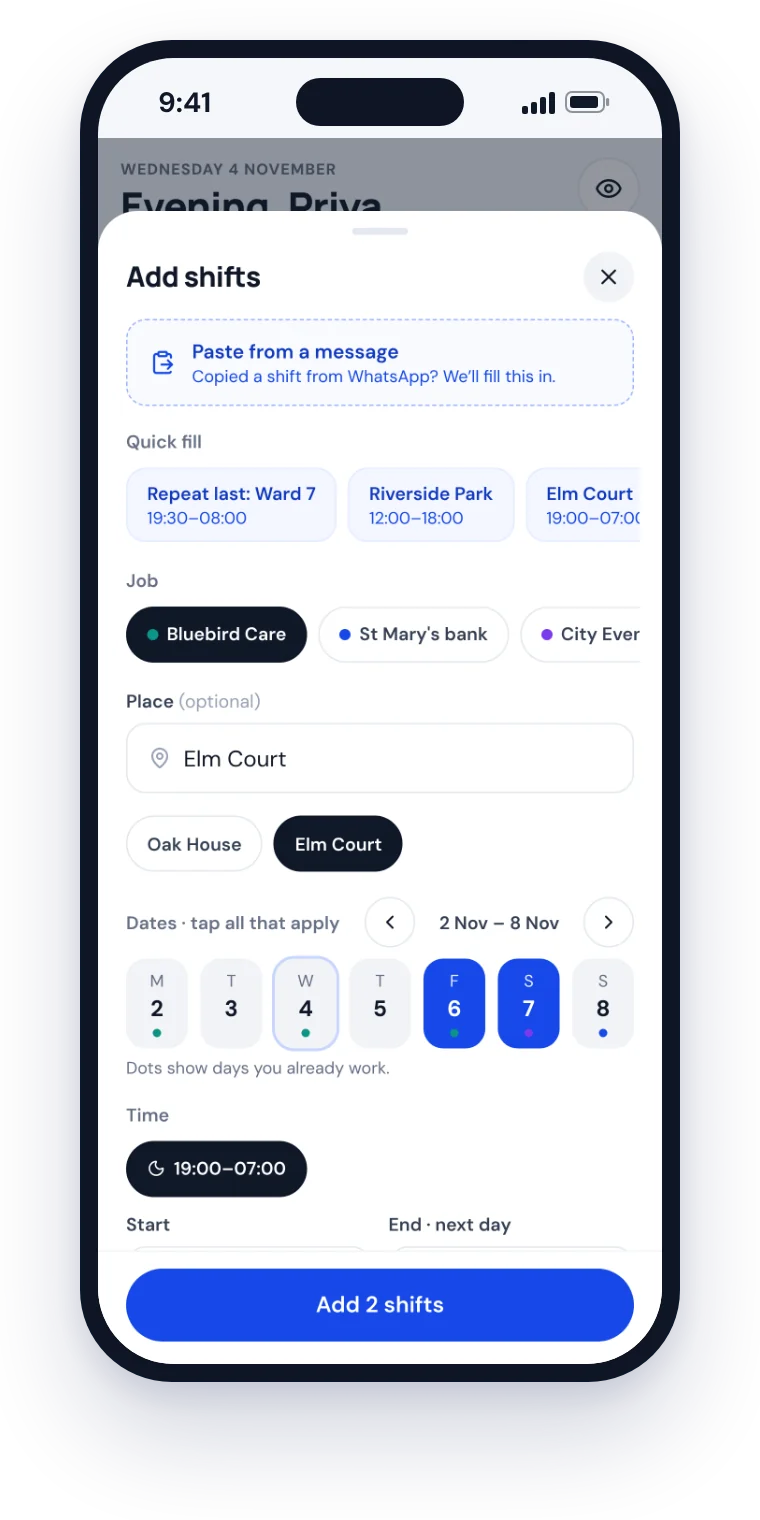
Copy the message from your agency or manager, tap Paste a shift, and Shiftaan fills in the date, start and finish, place and job. Check it, tap Add. That's it.
Read on your phone. Nothing you paste is sent anywhere.
Try it with your own message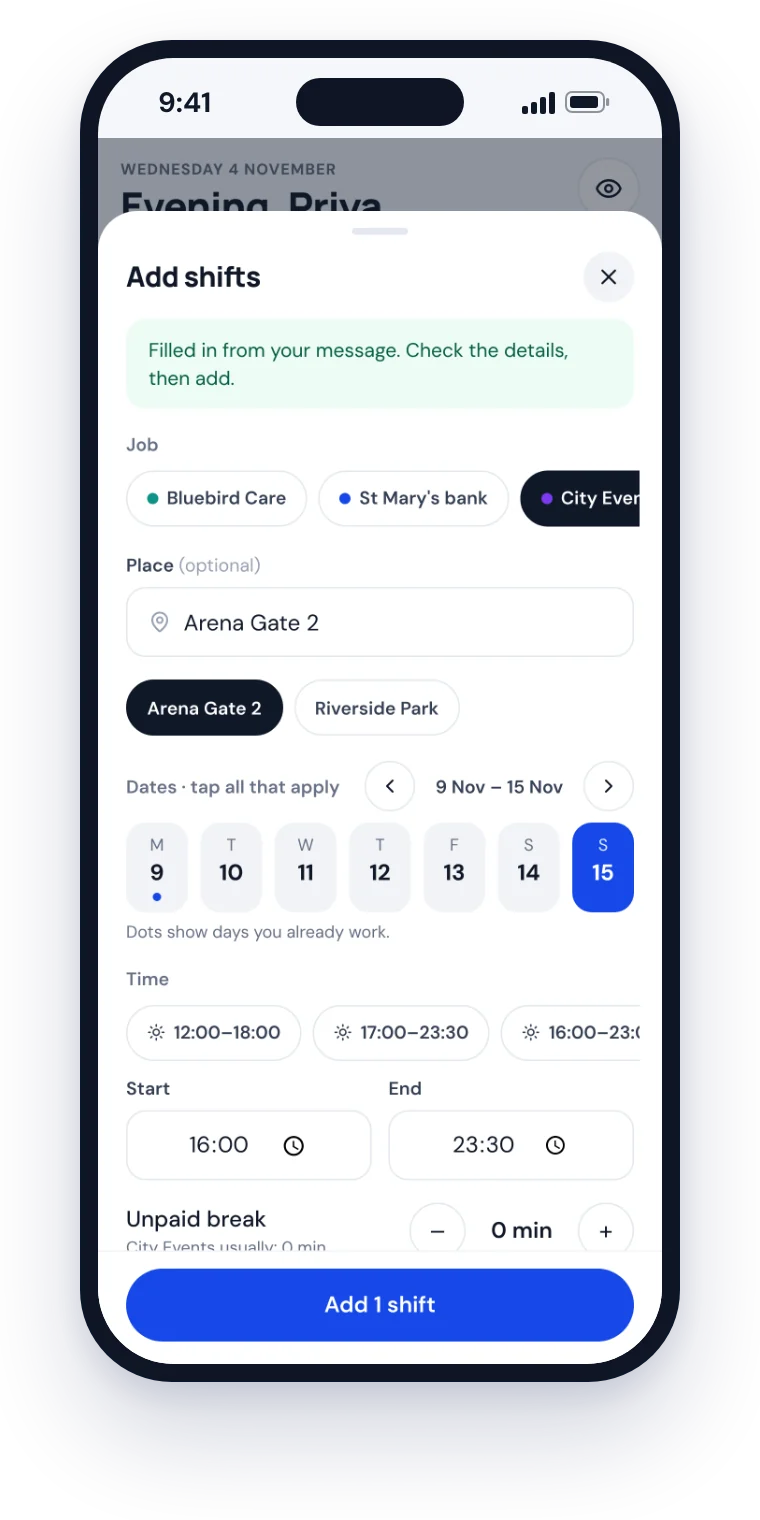
When you work across employers, agencies, places and hourly rates, keeping track of everything gets messy.
Brightside Care
Mon 4 Sep — Oak House
7pm–7am (30 min break?) · £13.20/hr
Wed 6 — Harbour Hotel bar
17:00–23:30 — think £12.80/hr
Fri 8: Ward 7 bank shift
8? hours + parking £12
Did Harbour pay August yet?
Check WhatsApp for Sunday timesend timesheet to agency
remember travel receipt!!
No complicated workforce software. Just a clear record of the work you've done and the money you've earned.
Start, finish, break, job, place and rate, including nights that finish the next day.
See paid, part-paid, overdue or disputed pay for every employer.
Every job and agency keeps its own places, rates and pay dates.
Copy the rota message, paste it, and the shift is filled in for you.
By week, pay period, month and tax year, with a payslip check.
Care, NHS bank, hospitality, retail, warehouse, delivery, events, cleaning, security and student jobs. If you work shifts, Shiftaan keeps your record.
Start, finish, break, rate. Done.

I was studying and working part-time for different companies. Keeping track of shifts, hours and expenses got harder every week, so I built a Google Sheet.
Every time something became difficult, I added another column. Then I realised other part-time workers had the same problem. That sheet became Shiftaan.
The name comes from Punjabi and relates to shifts. The idea is simple: you should always know what work you've done and what you're owed.
Malik Muzamil Founder, ShiftaanA personal shift and pay tracker. It keeps your hours, rates, jobs, places and payments in one place, so you always know what you've worked and what you're owed.
Anyone who works shifts: care and support workers, NHS bank and agency staff, hospitality, retail, warehouse and delivery workers, event staff, cleaners, security officers and students with part-time jobs. It's especially useful if you work for more than one employer or agency.
Yes. You can track unlimited shifts for up to 3 jobs for free. Shiftaan Pro (£2.49 a month or £14.99 a year) unlocks unlimited jobs.
Yes. Add each job separately, and see its shifts, places, rates, pay dates and what it still owes you.
Yes. Copy the shift message, tap Paste a shift, and Shiftaan fills in the date, times and place for you to check and save.
Yes. Shifts that finish the next morning are worked out properly, with unpaid breaks taken off and your hours and pay calculated for you.
Yes. Mark shifts as paid, part-paid or disputed. Shiftaan works out what's waiting and what's overdue for each employer, and you can check each payslip against your shifts.
No. Shiftaan is your own record of work and pay, not an employer rota or payroll system. It works alongside whatever your employer uses.
Yes. It works in any phone browser, and you can add it to your home screen like an app, with reminders before your shifts.
Create a free account, add your first job, then add your shifts or paste them from a message. It takes a couple of minutes.
Keep every shift, every hour and every pound in one place.
Try Shiftaan Free Start tracking in minutes.