Post shifts to the Shiftaan app
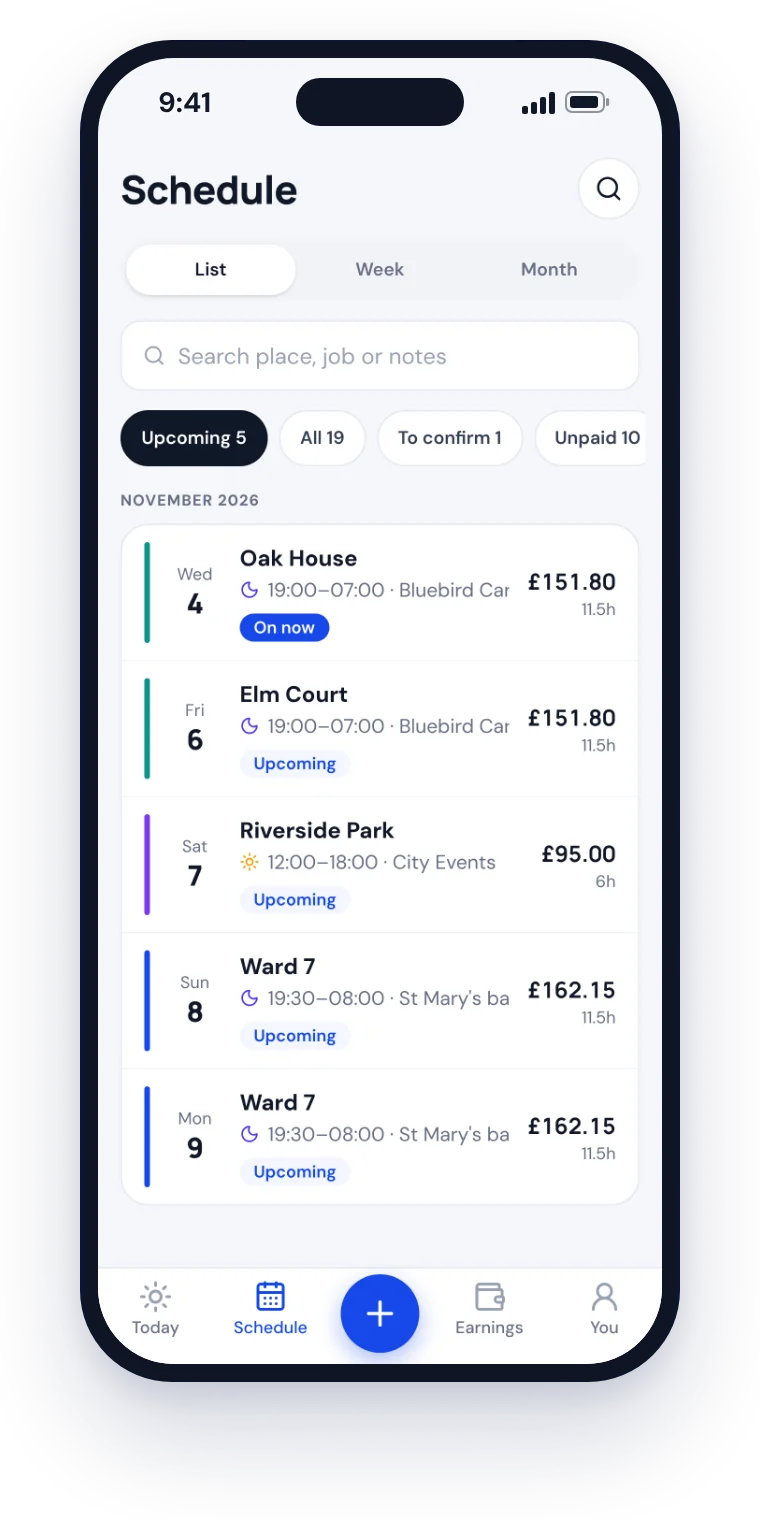
Assign a guard, or post a shift open: first to accept gets it, or you approve each one. It reaches guards' phones straight away.
Shiftaan Team is the agency side of Shiftaan. Post and fill shifts, check guards in on site and approve timesheets, while your guards accept everything in the app they already use for their own hours and pay.
SIA licence checks Rest and 48-hour checks No face recognition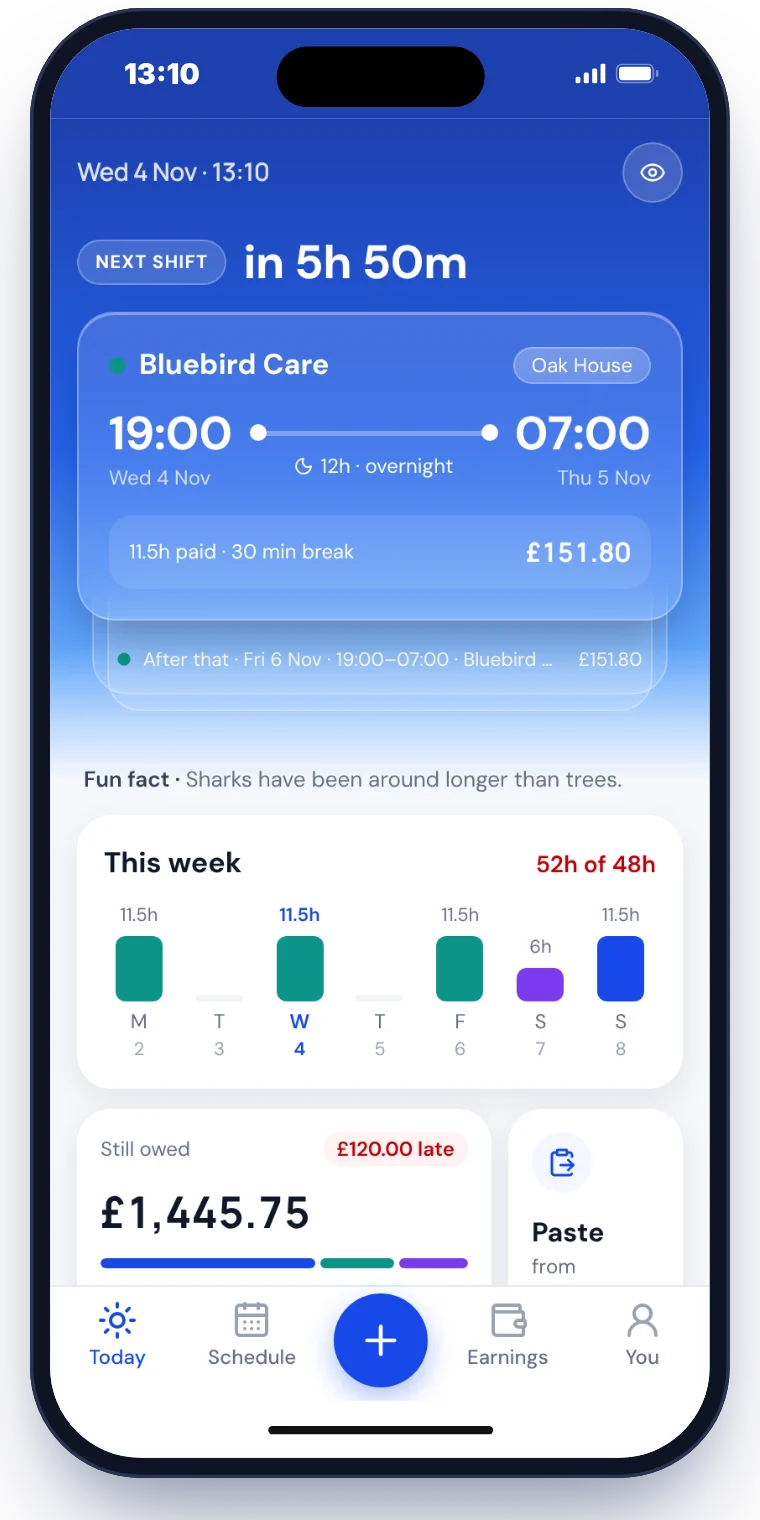
Assign a guard, or post a shift open: first to accept gets it, or you approve each one. It reaches guards' phones straight away.
Every booking is checked against the guard's licence, their other shifts, 11 hours' rest and the 48-hour week.
Shifts still open 24 hours before they start remind you and go red on the rota.
Cancelling late records the cancellation pay for you.
Who's on shift now, open alerts and shifts that need someone now.
Guards can only check in inside the site's boundary, set from its postcode.
Hourly I'm OK calls, with a photo of the post when you ask. A person looks at it: no face recognition.
SOS goes to every owner and manager at once with the guard's location. Incident reports arrive live with photos.
Missed check-ins and incidents go to the site's supervisors, then managers after 5 minutes and owners after 10.
Push alerts in your browser, even when Team isn't open.
Guards ask to join from the Shiftaan app with their SIA licence; you approve them.
SIA licence type and expiry on every guard, with a daily alert before one runs out.
Message a guard, or send a broadcast and see exactly who has read it. Remind the rest in one tap.
What you bill each client and what guards are paid, per site, with instructions guards see on every shift. Import sites from a spreadsheet.
Approve hours, see when a guard disagrees, and export to payroll.
Built from approved timesheets and emailed to the client with the shifts behind them.
Hours, shifts filled, on-time check-ins and margin by client, sent to clients automatically each week or month.
Clients see who's on site now, shifts, incidents and invoices for their sites.
Find any guard, site, shift or invoice, and see who changed what.
Most guard apps are made for the office and bolted on for the guard. Shiftaan started as the guard's own app, so the people you book already know it.
Your details and the licences your work needs.
One by one, or import them from a CSV.
Guards ask to join from the Shiftaan app; you check their SIA licence and approve.
They reach guards in the Shiftaan app straight away.
No. They accept your shifts in Shiftaan, the app many already use to track their hours and pay: free on iPhone and in any browser.
The shifts you send them, next to their other work, with your site instructions. They keep their own dated record of every shift, the same hours you approve.
Security agencies first: door supervisors, security guards and CCTV operators, with SIA licence checks built in. Stewards and roles without a licence work too.
No. Check-call photos are of the post, looked at by a person.
Get in touch and we'll walk you through it and set up your first sites.