Check in on site, not from the bus
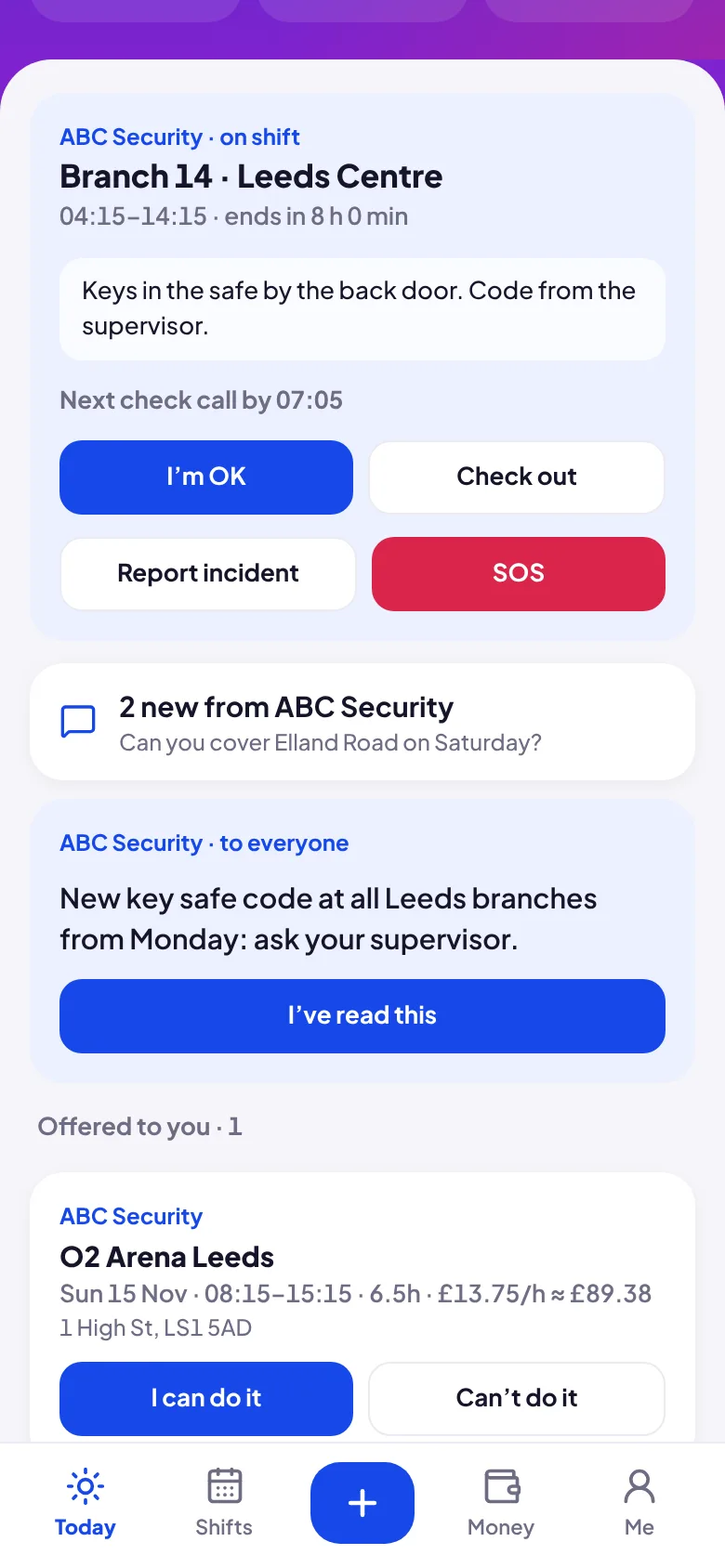
From 30 minutes before the shift a guard can check in, but only within the site's boundary (150 m by default; 100 or 300 m, or off, per site). If they're too far away the app tells them how far. Their location is taken only at the moment they tap, never tracked in the background.
Check calls the office doesn't have to make
Set a check-call interval for each site (every 30 minutes, hourly, every 2 hours or off). The guard's app shows when the next one is due and turns red when it's overdue. You can ask for a photo of the post every third call; a person in the office looks at it, there's no face recognition.
Missed check-ins become alerts, and alerts escalate
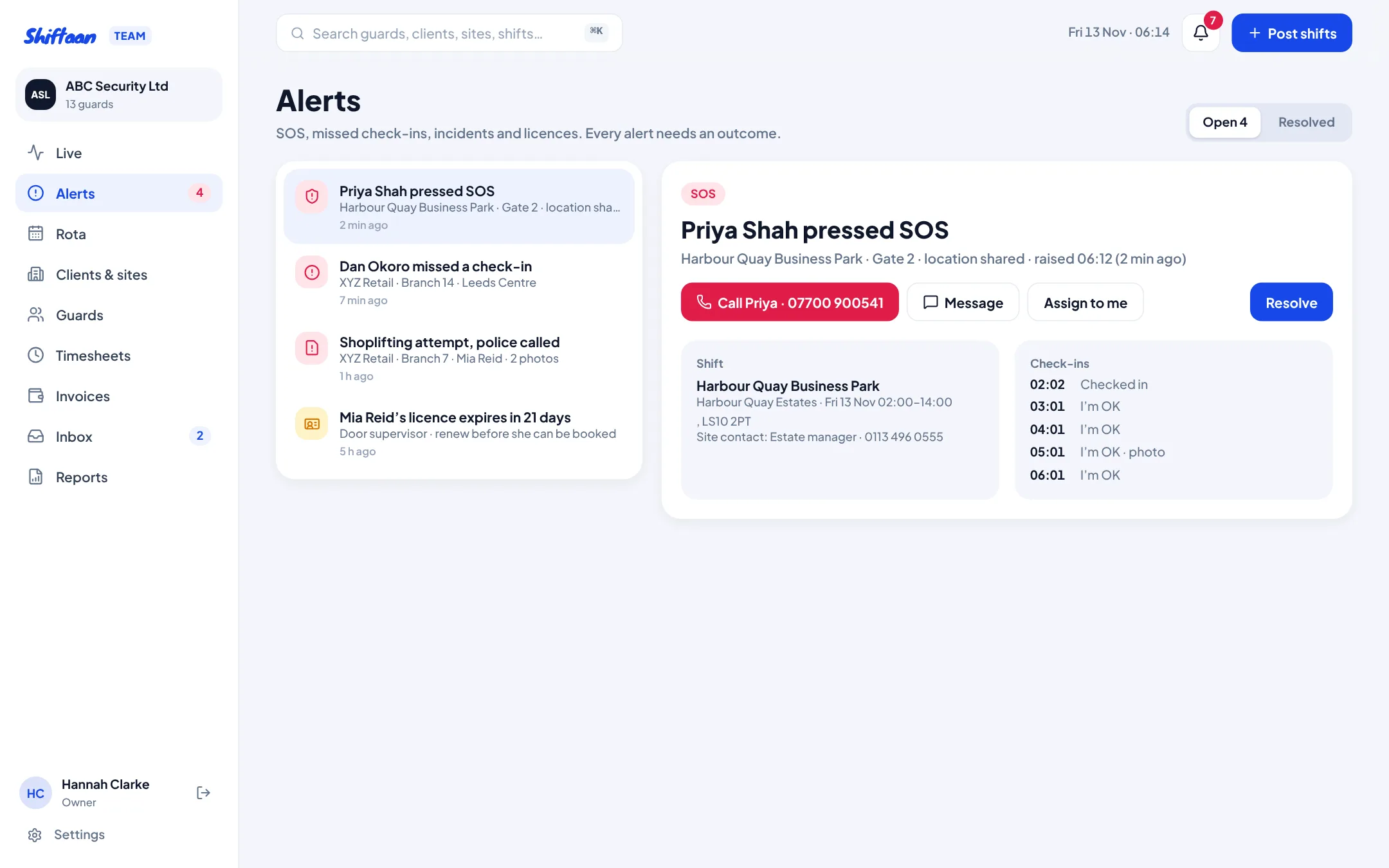
If a guard hasn't checked in 15 minutes after the start, or misses a check call by 10 minutes, an alert is raised and the guard gets a push notification. The supervisor covering that site is alerted first, managers after 5 minutes and the owner after 10, until someone presses “I'm on it”. When the guard checks in, the alert closes itself with the outcome recorded.
SOS that reaches someone
SOS sends an alert with the guard's location to every owner, manager and supervisor at once, and the guard's screen offers a button to call your out-of-hours line. It always tells them to call 999 first if they're in immediate danger.
Incident reports with photos
Guards report what happened (theft, violence or threats, trespass, damage, medical, fire or alarm), the details, the police reference and up to three photos. It lands in Alerts straight away and on the client's portal, so the client hears it from you first.
Lone working and your duty of care
Employers must assess the risks of lone working and put controls in place under the Management of Health and Safety at Work Regulations 1999. Regular check calls with escalation, a way to raise the alarm and a record of every contact are the controls HSE guidance points to. See our guide to lone worker check calls.
Common questions
Do guards need a special device?
No. They use their own iPhone or Android phone with the free Shiftaan app, or the web version.
Is location tracked all shift?
No. Location is taken only when the guard taps Check in, I'm OK, Check out or SOS.
What if a site has no mobile signal?
Turn the boundary off for that site and use check calls by phone; you can record the outcome when you resolve the alert.